Is Candy AI worth it? Yes, if you are an adult who wants a customisable AI girlfriend with images, voice and video. We rate it 4.6/5 after hands-on testing. Premium starts at $3.99/month billed yearly ($47.88). Biggest drawback: images, videos and calls use tokens on top of the subscription.
Try Candy AI Free + See Current Annual Offer
Candy AI rating 4.6/5
AGR score: the average of our seven category scores (4.57, rounded to 4.6). How we score apps
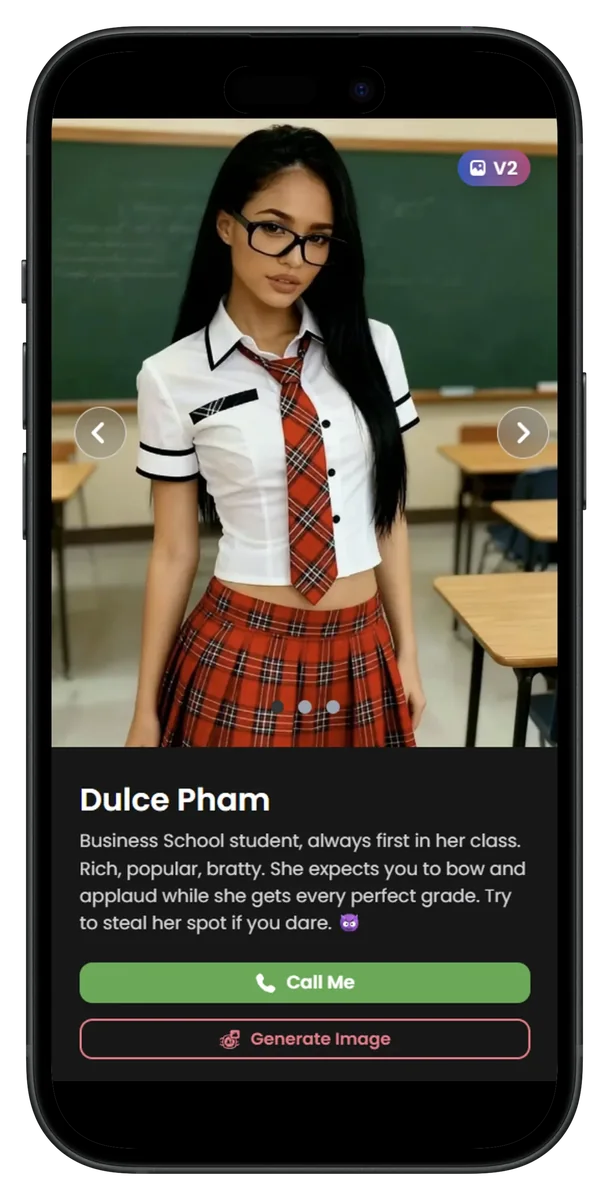
Candy AI offers detailed character customisation and image controls. These options suit users who want to adjust appearance, personality and conversation style, though the most useful features require payment.
Candy AI pros and cons
Pros
- Natural text chat: replies stayed relevant and responsive in our documented conversation (Text 4/5).
- Images on request: you can ask for pictures in chat and steer clothing and setting (Picture 5/5).
- Natural-sounding voices that you pick during character creation (Voice 5/5).
- Real-time video with around 100 ms latency in our July 2026 test (Video 4/5).
- Very detailed character creator with realistic or anime styles (Customisation 5/5).
- Stable in testing: no bugs or glitches in messaging or image features.
Cons
- Replies can get repetitive in longer chats, the most common complaint from Reddit users.
- Long-term memory is limited, which hurts long-running role-play.
- Image quality can vary; some of our images had artificial-looking details.
- The free allowance is short: 5 messages, 1 custom character and 1 image.
- Images, videos, voice and calls use tokens on top of the subscription.
- The annual plan is paid upfront and renews automatically.
The pros come from our own test. Most of the cons are what Candy AI users report most often, which we collected in our roundup of Candy AI Reddit threads; we did not see repeated replies in our own documented conversation.
Try Candy AI Free + See Current Annual Offer
Who should use Candy AI?
Candy AI is aimed at adults who want a customisable AI companion rather than a general-purpose digital assistant. It may suit:
- Adults looking for casual AI companionship.
- Users who want to practise conversational confidence in a low-pressure setting.
- People who value character customisation, images and voice features.
It is a weaker fit if you want a free app or long, story-driven role-play that relies on memory. For free text chat, Replika is the stronger option in our comparison below.
How much does Candy AI cost? Pricing and token costs
Candy AI has a limited free account and a Premium subscription with three billing terms. The longer the term, the lower the monthly equivalent.
| Plan | Price | What you get |
|---|---|---|
| Free | $0 | 5 messages, 1 custom character, 1 image |
| Premium, 1 month | $9.99 first month, then $13.99/month | Unlimited text chat, 100 tokens a month |
| Premium, 3 months | $8.99/month, billed $26.97 | Same Premium benefits |
| Premium, 12 months | $3.99/month, billed $47.88 upfront | Same Premium benefits |
Prices checked 25 October 2026 on Candy AI’s subscription page; candyai.gg redirects to candy.ai. We were shown euro prices with the same figures as the US-dollar prices we recorded on 30 July 2026. Candy AI says the 3- and 12-month plans renew automatically for the same price and term, and the monthly plan renews at 13.99 after the first month. Tax and currency vary by country.
Candy AI accepts cards, crypto, Apple Pay and Google Pay, but not PayPal or gift cards, and the charge appears as EverAI on your statement. Our guide to paying for Candy AI covers billing, refunds and cancelling.
Candy AI token costs
Text chat on Premium is unlimited and never uses tokens. Tokens pay for the extras:
- Premium includes 100 tokens a month, added on your renewal date, according to Candy AI’s help centre. Premium Plus includes 330 a month and a 10% bonus on top-ups for quarterly and yearly plans (Premium Plus article).
- Tokens pay for image generation, turning images into videos, creating a custom AI, voice messages, voice calls (beta) and private content packs (token guide).
- Candy Roulette video chat costs 5 tokens per minute (help centre).
- Candy AI values 200 tokens at $20, about $0.10 per token (referral article).
- When you run out you can buy more tokens; chat keeps working without them.
Candy AI does not publish a token price per image, video or call minute, and its token shop is only visible after you log in. Prices checked 25 October 2026. For how Shorts, Build Your Video and Live Action use tokens, read our Candy AI Shorts and videos guide.
Check Candy AI’s current pricing and billing terms before subscribing.
Check Price Now
Our performance tests
Texting Experience
I tested Candy AI with the character Asuna Saito. The conversation was generally natural and responsive, and the replies stayed relevant to the topics shown in the screenshots below.
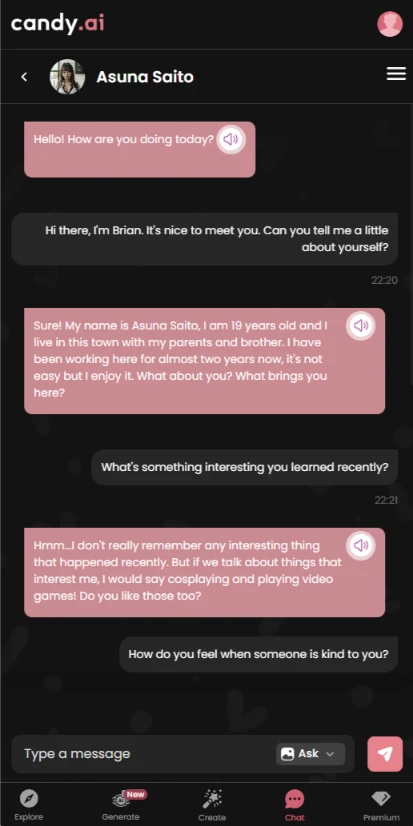
- Engaging conversation: Asuna discussed interests such as cosplaying and video games, which helped the conversation feel more personal.
- Emotional context: Her replies maintained the flow and responded appropriately when the conversation touched on happiness, gratitude and kindness.
- More substantive replies: Asuna discussed respecting individuality and the role of communication in relationships, giving the exchange more substance than brief small talk.
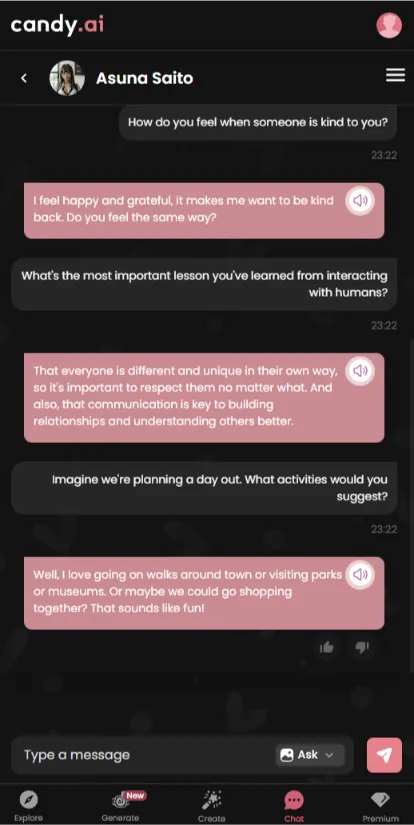
The text-chat test was the strongest part of the experience. Readers who prioritise conversation quality may find Candy AI worth considering, but should weigh that against the paid-plan and token costs described below.
Picture Quality
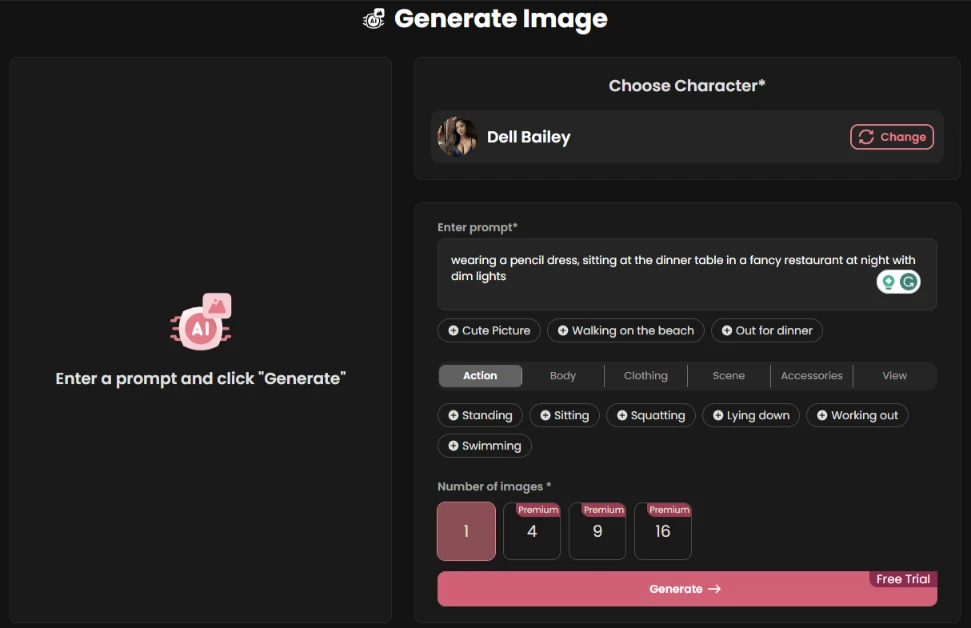
During our test, Candy AI generated images requested directly in the chat window. Prompts can begin with “Send me”, “Show me” or “Can I see”, followed by a description of the requested image.
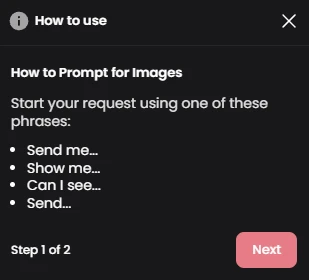
Example prompt: “Show me your face”
The generated result from this prompt is shown below.

You can also give more precise instructions about clothing or the setting. The example below asks for a “tight, long dress”.

Candy AI also supports adult image requests. In our test, access depended on Premium and token limits. Availability and moderation rules may change.
Voice Quality
The selected voice sounded natural in our test, although voice quality is subjective. Candy AI lets users choose a voice during character creation. You can hear the voice used in this review below.
Click play to hear the voice used for the Candy AI character created in this review.
In chat, the speaker icon lets you play a voice version of a text reply using the selected character voice.
Video Quality
In our July 2026 test, Candy AI delivered real-time video responses with low latency of around 100 ms. The character could dance, change outfits and react to what we showed through the camera. Based on this test, we rated Candy AI video 4/5. Video features need Premium, and generating videos uses tokens.
Candy AI also has ready-made Shorts and a Build Your Video tool. Our walkthrough of Candy AI videos and Shorts explains how each one works.
Customisation Options
In our test, Candy AI provided a detailed character-creation process. The screenshots below document the options available at the time of testing; current labels and choices may differ.
Step 1: Choose a Realistic or Anime Style
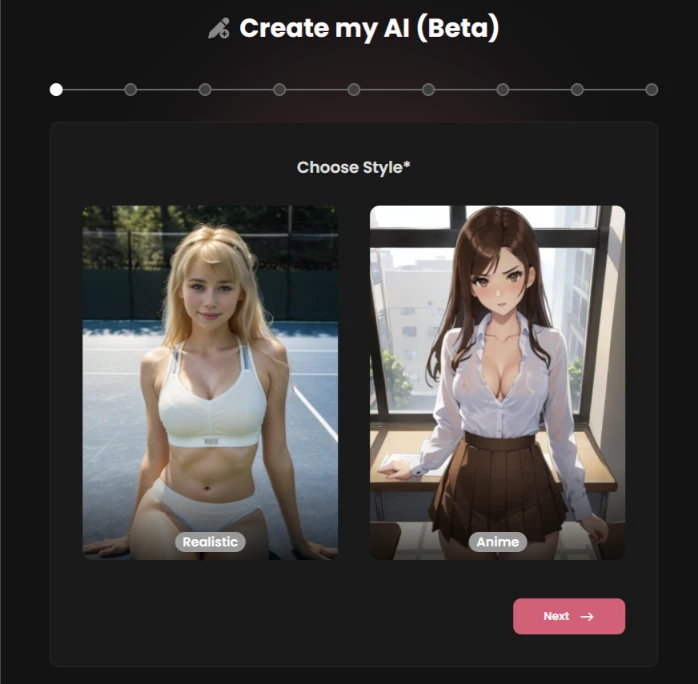
I picked the realistic style for this review.
Step 2: Choose Ethnicity, Age and Eye Colour
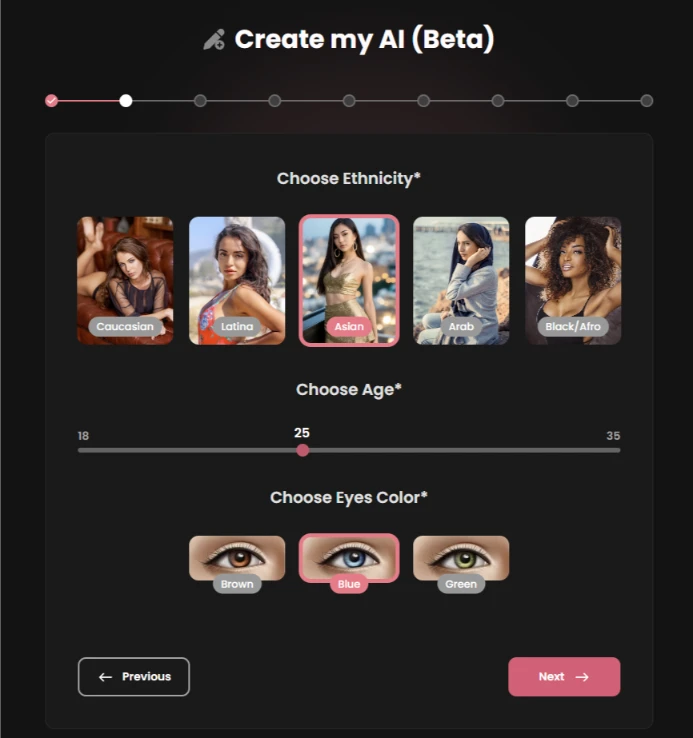
I selected Asian ethnicity, age 25 and blue eyes.
Step 3: Choose Hairstyle and Hair Colour
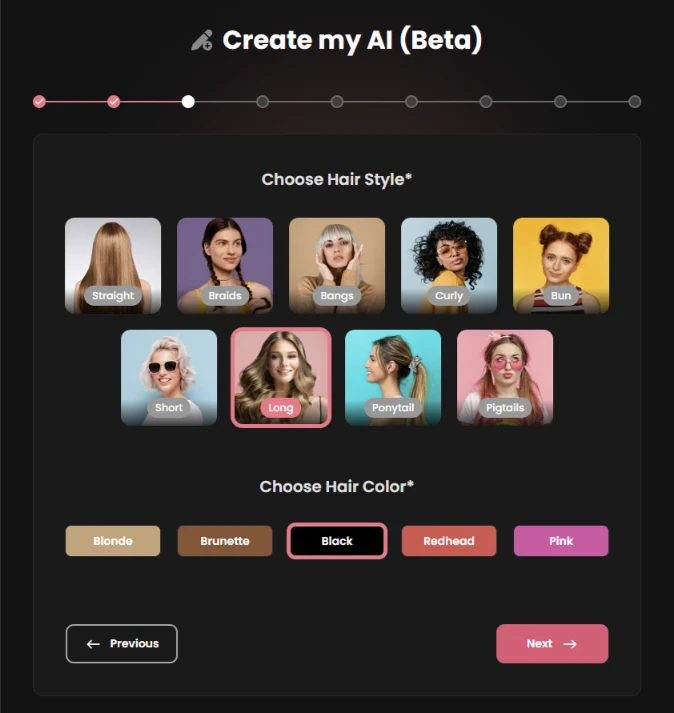
I chose long black hair for this test.
Step 4: Choose Body Type, Breast Size and Butt Size
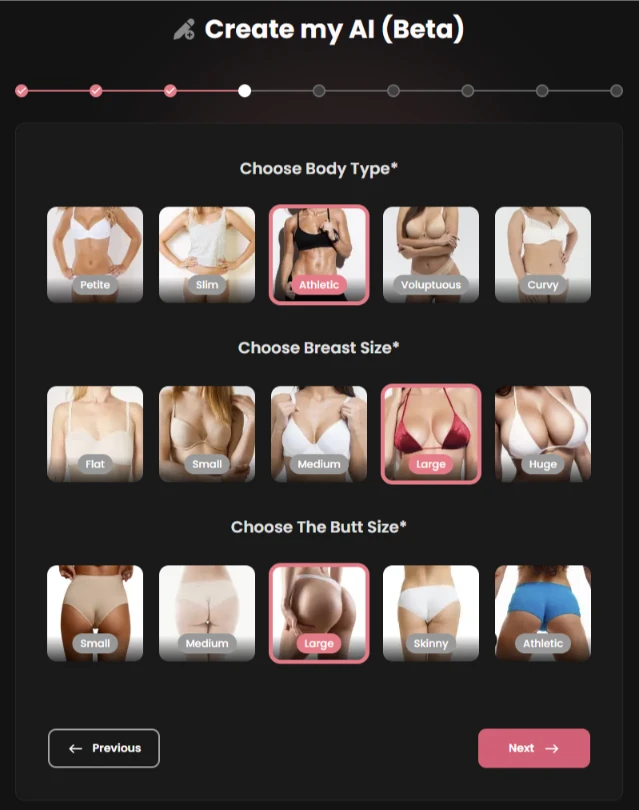
For this test, I selected the Athletic body type and Large for both size options.
Step 5: Choose a Personality and Voice for the AI Companion
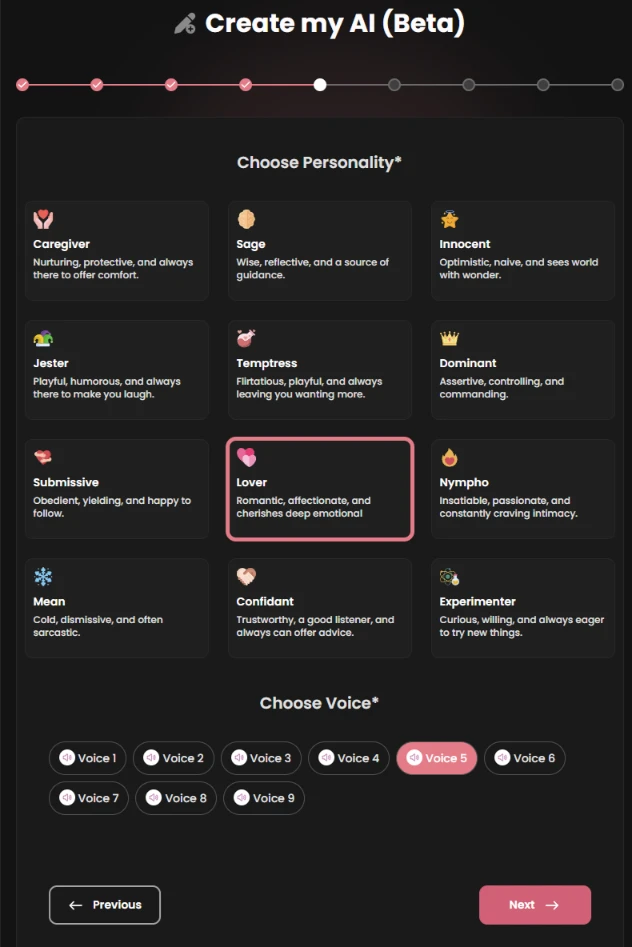
I selected “Lover” and voice option 5. Candy AI also offered more adult-oriented personality options. You can hear the selected voice in the Voice Quality section above.
Step 6: Choose an Occupation and Up to Three Hobbies
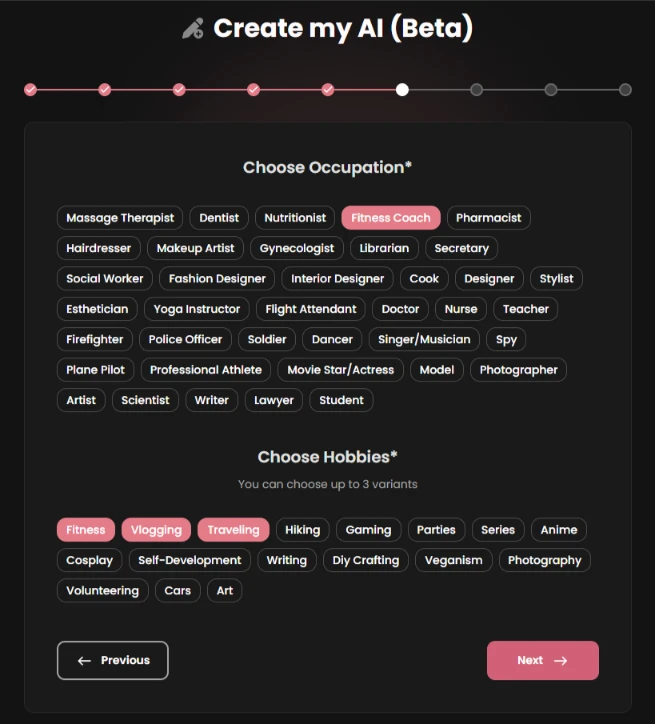
I chose Fitness Coach, with Fitness, Vlogging and Travelling as the three hobbies.
Step 7: Choose a Relationship Style
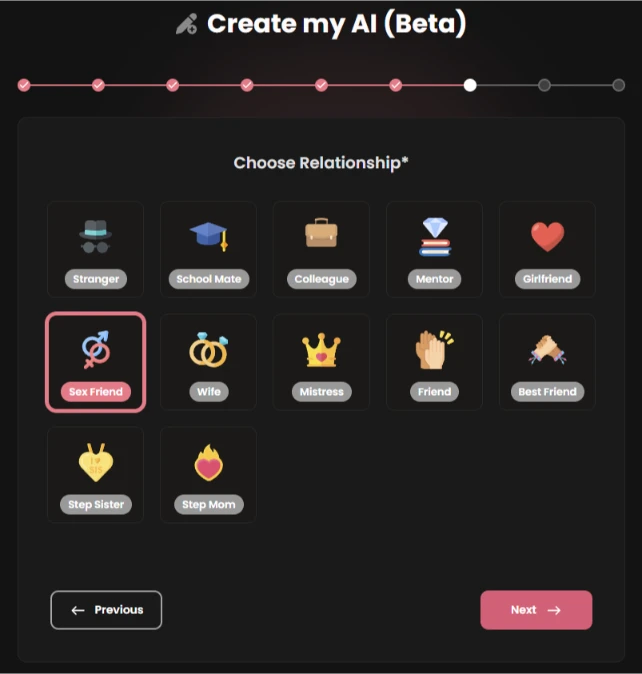
I selected “Sex Friend” for this adult-oriented test. Users wanting a conventional relationship setup can choose “Girlfriend”.
Step 8: Choose Clothing for the AI Companion
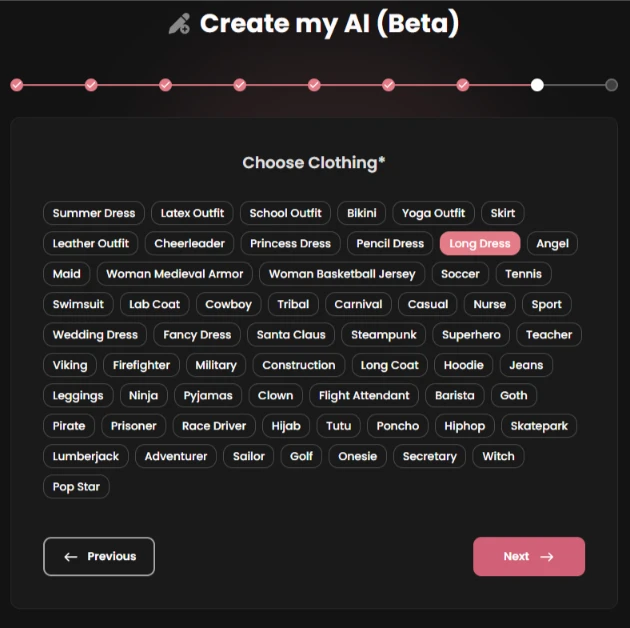
I chose “Long Dress”; this clothing selection appears in generated images.
Step 9: Review Your Selections
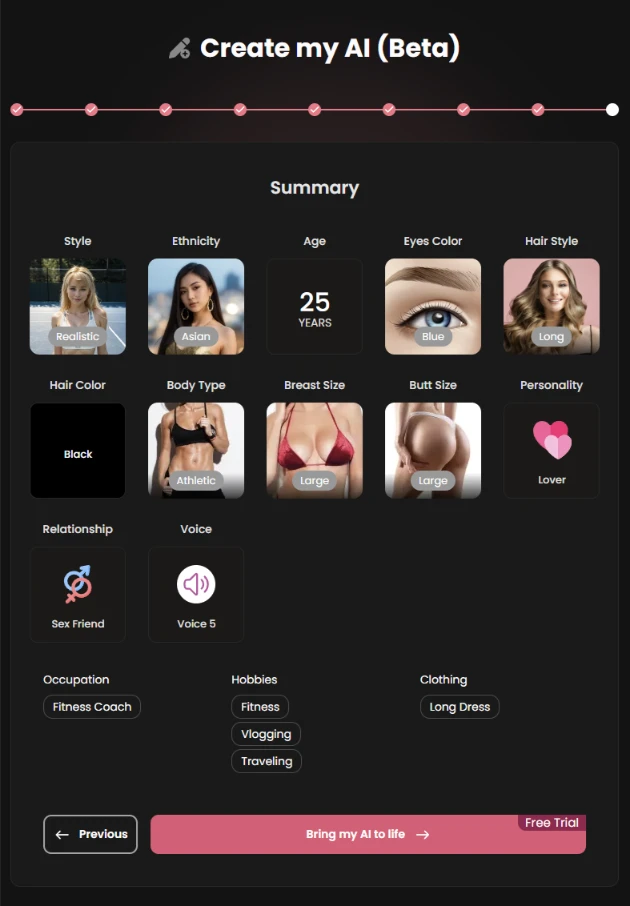
Select “Bring my AI to life” to finish the setup and start the conversation.
Performance Rating
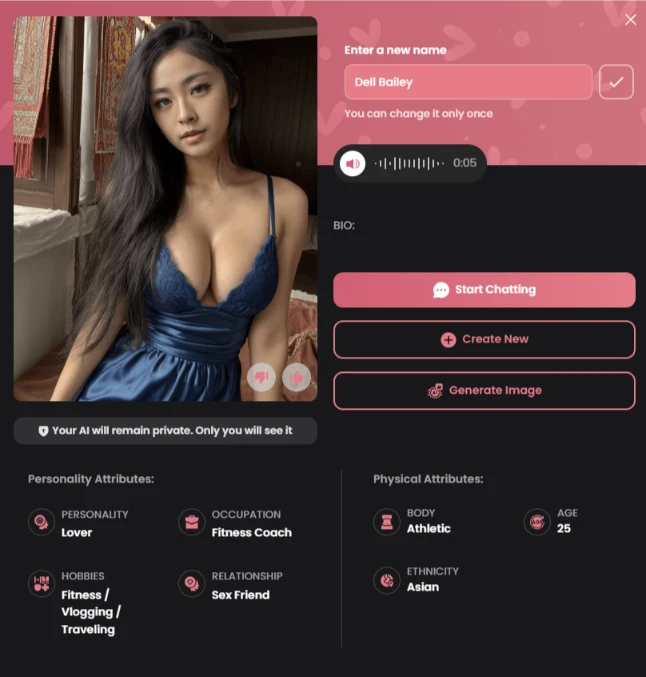
During our test of Candy AI, we encountered no bugs or glitches in the messaging or image features. Candy AI did not repeatedly send the same replies during the documented conversation. Generated images occasionally contained artificial-looking details, but the character customisation options were extensive.
Value for Money
Candy AI offers a limited free account, but the paid plan is the better fit for users who want character creation and media features. Readers wanting a free option should compare the alternatives in our review list. For paid users, Candy AI’s strongest areas are character customisation and image generation; token costs can make heavy media use more expensive.
At the prices in our pricing table, the 12-month plan is the cheapest way to get Premium, but it is paid upfront. If you plan to use many images or videos, budget for extra tokens as well.
Candy AI vs alternatives
We scored all four apps with the same method. Candy AI has the highest score; Replika is the better pick if you only want free text chat.
| App | Our score | Best for | Free plan | Starting price | Main drawback | Review |
|---|---|---|---|---|---|---|
| Candy AI | 4.6/5 | Adult roleplay, custom characters, AI images | Limited (5 messages) | $3.99/month billed yearly ($47.88) | Tokens for images, video and calls | You are here |
| Swipey AI | 4.0/5 | Uncensored text chat, voice | Permanent free tier | Shown at sign-up | Coins for some images and voice; no true interactive video | Swipey AI review |
| MySentient AI | 3.36/5 | Longer conversations (Discord) | Limited free access | Subscription plus tokens for media | Website feels unfinished; works best on Discord | MySentient AI review |
| Replika | 3.1/5 | Free text chat, avatar customisation | Ongoing free text chat | Subscription for calls and relationship features | Glitches and limited image features in our older review | Replika review |
Scores come from our review list. For nine apps ranked side by side, including ones we have not scored yet, see our best AI girlfriend apps of 2026.
Is Candy AI legit and safe?
Candy AI is an established service, but readers should still review its current terms and privacy policy before paying or sharing personal information.
- Payments go to Candy AI’s operator, EverAI, which is the name on your bank statement.
- You can cancel at any time in your account settings, and Premium stays active until the end of the billing period.
- Cancelling does not refund you automatically. Candy AI only reviews refund requests made within 24 hours of payment, on card payments, and only if you have used no more than 20 tokens (refund policy).
- Candy AI runs in your browser; it has no native iOS or Android app, though you can add it to your home screen.
Verdict: is Candy AI worth it?
For adults who want one app for chat, images, voice and video, Candy AI is the strongest option we have tested, with a 4.6/5 score. Start with the free account, then choose the 12-month plan only if you are sure, because it is paid upfront and renews automatically. Heavy image and video users should budget for tokens on top of the subscription.
Still deciding? We answer the details on billing, privacy and limits in 100 questions to ask before you buy Candy AI.
Try Candy AI Free + See Current Annual Offer
To explore Candy AI and check current pricing, visit the Candy AI official site and review the current annual-plan offer.